Download
- Download Pocket C++ 0.6 x64 (for 64 bits)
- Download Pocket C++ 0.4 x64 (for 64 bits)
- Download Pocket C++ 0.4 x86 (for 32 bits)
Portable and easy to use editor to write and test C++14 snippets (supported features). It integrates Notepad++ and Stephan T. Lavavej's MinGW Distro (GCC 6.1.0). You can use F9 key to compile C++ files, and Ctrl+F9 to execute the compiled program.
See FAQ for installation instructions and more.
Important notes:
- The .cpp file must be self-contained (it must contain a main() function),
- The file is compiled using C++14 standard.
- Static linking (-static) is used to generate the output (.exe file), in this way it doesn't depend on external .dll (e.g. C++ runtime).
- In next versions you'll be able to link multiple .cpp files and to use third party libraries like Boost and SDL (which are already included in the Pocket C++ distribution).
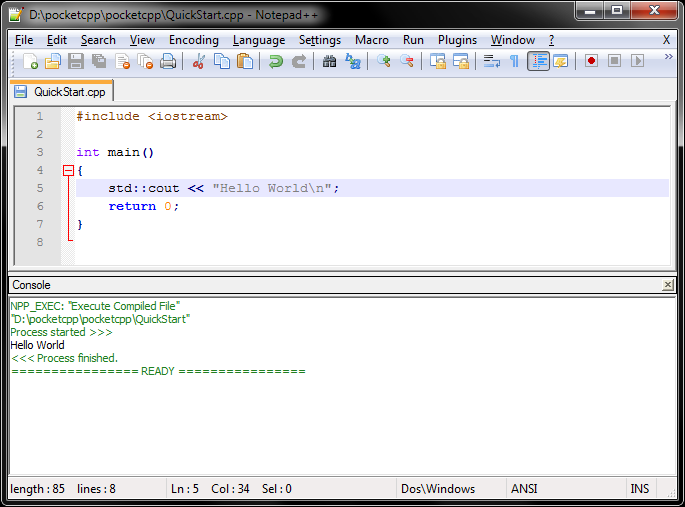
Pocket C++ looks like (is) Notepad++

You can press F9 to compile your .cpp files. If there are compilation errors you can double-click them to go to the specific line.

You can press Ctrl+F9 to execute the compiled program