adding how to link forked repo to a project board#3774
adding how to link forked repo to a project board#3774felicitymay merged 4 commits intogithub:mainfrom
Conversation


|
Thanks for opening this pull request! A GitHub docs team member should be by to give feedback soon. In the meantime, please check out the contributing guidelines. |


|
Thanks so much for opening a PR with this fix @shades-7! I edited your original comment to read I'll get this triaged for review 💖 |
 janiceilene
added
content
janiceilene
added
content

 felicitymay
left a comment
felicitymay
left a comment
felicitymay
left a comment
There was a problem hiding this comment.
👋🏻 Hi @shades-7
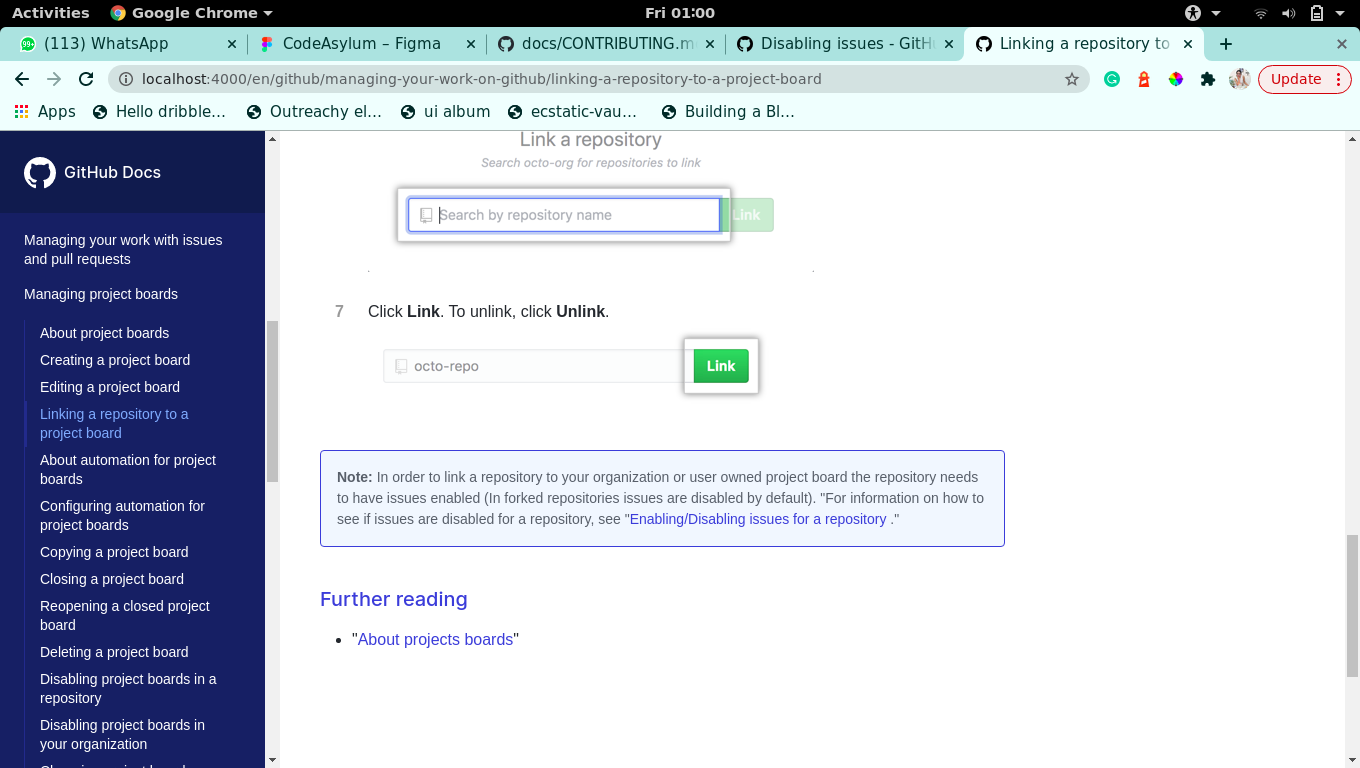
Thanks for your PR. It was really thoughtful of you to include a screenshot so that I could see how your changes looked (and good to see that you have managed to get the docs system working locally) ✨
For future reference, when you raise a PR, we automatically create a temporary server with your changes, as part of the testing. On the repository "Conversation" tab, there's a section called "This branch was successfully deployed" which contains a View deployment button to the staging environment. You can see your changes here: https://docs-3774--shades-7docs.herokuapp.com/en/github/managing-your-work-on-github/linking-a-repository-to-a-project-board.
I've added a comment with a change, but otherwise this looks good to merge.
content/github/managing-your-work-on-github/linking-a-repository-to-a-project-board.md
Outdated
Show resolved
Hide resolved
 felicitymay
removed
the
waiting for review
felicitymay
removed
the
waiting for review

This comment has been minimized.
This comment has been minimized.

5 participants


Why:
Closes #523
What's being changed:
Changed the content of the note and its position (https://docs.github.com/en/github/managing-your-work-on-github/linking-a-repository-to-a-project-board)
Check off the following: