Upload via FirbaseStorage - Issue: Firebase/Storage in the console #156

Description

Environment
- Operating System version: MacOS High Sierra 10.13.2
- Firebase SDK version: 5.5.1
- Library version: 5.5.51
- Firebase Product: storage
Description:
I am using firebase-admin module on the server side with NodeJS in order to manage the authentication process, the storage and more.
I am facing only problem with the firebase storage product!
I am able to upload the target file to the cloud, however the firebase console is acting like i dont know what... very strange.
The destination of the file is like estimated in the cloud, but i cant preview the image!!!
In the console, the image is replaced by mat-progress-spinner and never ends to load(see below)!!

the path of the image is available on the console, but the url and the "other meta data" are always empty.

A nice idea was to generate a new url! But unfortunately i became the following error -->



"Error/Failed while generating a new url"!
And even more i cant download the checked image with the raised button "download"!
But very scary, the raised button "delete" works!
If i open the chrome dev tools --> console --> i can see few more informations - errors (maybe that could helps)
Uncaught TypeError: ng.probe is not a function at Object.exports.isDebugModeUncaught TypeError: a.indexOf is not a function at FBC_Ea
In chrome dev tools --> network i got a 401 error while loading the image (see below)
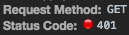
I thinks there are few bugs to fix... and i would be very thankful for a feedback from the core team!
Code
...
@injectable()
export class FirebaseStorage {

    // Get the Storage service for the default app
    private _defaultStorage: admin.storage.Storage = admin.storage();
    private _bucket = this.defaultStorage.bucket();
    private _metadata = {
        cacheControl: "public,max-age=36000",
        customMetadata: {
            "method": Methods[Methods.Upload]
        }
    };


    constructor(@inject("FirebaseAdmin") firebaseAdmin: FirebaseAdmin) {
    }

    /**
     * Uplaod image to the storage
     *
     * @param {string} imageSrc - the path od the temp image to upload
     * @param imageDist
     * @returns {Promise<any>} - the media link of the uploaded image
     */
    public async uploadFileToStorage(imageSrc: string, imageDist: string): Promise<any> {
        const upload = await this.bucket.upload(imageSrc,
            {
                destination: imageDist,
                public: true,
                metadata: this._metadata
            });
        // console.log("upload done --> ", upload);
        return upload[0].metadata.mediaLink;
    }

    get defaultStorage(): admin.storage.Storage {
        return this._defaultStorage;
    }

    set defaultStorage(value: admin.storage.Storage) {
        this._defaultStorage = value;
    }

    get bucket(): any {
        return this._bucket;
    }

    set bucket(value: any) {
        this._bucket = value;
    }
}
Note:
I am using the firebase module on the client side with Angular, and the upload process works really good and everything act like expected! Using the firebase-admin module in combination with the storage, the upload process is a little bit critical, since the firebase console does not works as expected.
Final note: in the response of the upload request, with firebase-admin (NodeJS) the url of the image is like https://www.googleapis.com/download/storage/v1/b/mybucket/blablabla/image.png but the url received in the response with firebase module (Angular) it's like https://firebasestorage.googleapis.com/v0/b/mybucket/blablabla/image.png