Fire timers in the background via NSTimer#23674
Closed
cojo wants to merge 1 commit intofacebook:masterfrom
Closed
Conversation


 facebook-github-bot
added
the
CLA Signed
facebook-github-bot
added
the
CLA Signed

|

facebook-github-bot
approved these changes
Mar 26, 2019
Contributor
 facebook-github-bot
left a comment
facebook-github-bot
left a comment
facebook-github-bot
left a comment
There was a problem hiding this comment.
@shergin is landing this pull request. If you are a Facebook employee, you can view this diff on Phabricator.

Collaborator
|
This pull request was successfully merged by @cojo in 97c414e. When will my fix make it into a release? | Upcoming Releases |


facebook-github-bot
pushed a commit
that referenced
this pull request
May 30, 2019


Summary:
Related #23674, in that PR, we imported background timer support, but it's not sufficient, I think the reason that works is because it enable the `Background Modes` and do some background tasks, for the users who don't enable it, timer would pause immediately before goes into background.

To fix it, we can mark a background task when goes into background, it can keep app active for minutes, try best to support timing when in background.

cc. cpojer .

## Changelog

[iOS] [Fixed] - Timing: Fixes timer when app get into background
Pull Request resolved: #24649

Differential Revision: D15554451

Pulled By: cpojer

fbshipit-source-id: a33f7afe6b63d1a4fefcb7098459aee0c09145da

M-i-k-e-l
pushed a commit
to M-i-k-e-l/react-native
that referenced
this pull request
Mar 10, 2020

Summary:
Related facebook#23674, in that PR, we imported background timer support, but it's not sufficient, I think the reason that works is because it enable the `Background Modes` and do some background tasks, for the users who don't enable it, timer would pause immediately before goes into background.

To fix it, we can mark a background task when goes into background, it can keep app active for minutes, try best to support timing when in background.

cc. cpojer .

## Changelog

[iOS] [Fixed] - Timing: Fixes timer when app get into background
Pull Request resolved: facebook#24649

Differential Revision: D15554451

Pulled By: cpojer

fbshipit-source-id: a33f7afe6b63d1a4fefcb7098459aee0c09145da
saghul
added a commit
to saghul/jitsi-meet
that referenced
this pull request
Sep 17, 2020

Ever since facebook/react-native#23674 landed it has
been possible to run timers in the background, assuming your app is allowed to
run in the background already, as is our case. So, stop using the library on
iOS, which will avoid creatring needless backgound tasks.
saghul
added a commit
to jitsi/jitsi-meet
that referenced
this pull request
Sep 17, 2020
Ever since facebook/react-native#23674 landed it has
been possible to run timers in the background, assuming your app is allowed to
run in the background already, as is our case. So, stop using the library on
iOS, which will avoid creatring needless backgound tasks.

This file contains hidden or bidirectional Unicode text that may be interpreted or compiled differently than what appears below. To review, open the file in an editor that reveals hidden Unicode characters.
Learn more about bidirectional Unicode characters
Sign up for free
to join this conversation on GitHub.
Already have an account?
Sign in to comment
4 participants


Add this suggestion to a batch that can be applied as a single commit.This suggestion is invalid because no changes were made to the code.Suggestions cannot be applied while the pull request is closed.Suggestions cannot be applied while viewing a subset of changes.Only one suggestion per line can be applied in a batch.Add this suggestion to a batch that can be applied as a single commit.Applying suggestions on deleted lines is not supported.You must change the existing code in this line in order to create a valid suggestion.Outdated suggestions cannot be applied.This suggestion has been applied or marked resolved.Suggestions cannot be applied from pending reviews.Suggestions cannot be applied on multi-line comments.Suggestions cannot be applied while the pull request is queued to merge.Suggestion cannot be applied right now. Please check back later.
This PR is a follow-up to #21211 by request of @hramos to incorporate some additional crash fixes / synchronization edge cases found in our production testing. What follows is largely a copy of the original PR description from #21211 - see that PR for original discussion thread as well as context on why this replacement PR was needed.
This PR is a minimalistic change to RCTTiming that causes it to switch exclusively to NSTimer (i.e., the 'sleep timer') in order to continue triggering timers when the app has moved to the background.
Motivation:
Many people have expressed a desire for background timer support on iOS. (See #1282, #167, and #16493). In our app — a podcast/audio player — we use background timers to ensure that we never lose track of the user's playback position, should the app crash or be terminated by the OS.
The RCTTimer module uses a RN-managed CADisplayLink if the next requested timer is less than a second away; otherwise, it switches to an NSTimer (which is refers to as a 'sleep timer' in source). The RN-managed CADisplayLink is always disabled when the app goes to the background (and thus cannot be used); however, the NSTimer will still issue its callbacks in the background.
This PR adds a flag to track whether the app is in the background, and if so, all timers are routed through NSTimer until the app returns to the foreground. @vishnevskiy at Discord opened a similar PR (#16493) that implements a drop-in for CADisplayLink which falls back to NSTimer, but I decided to incorporate the background-NSTimer logic directly into RCTTimer, since NSTimer is already in use.
It's worth noting that the background NSTimer may not fire as often as requested — it may give the appearance of lagging depending upon your app's priority in the background. For our audio app, NSTimer fires exactly on schedule if there's an open AVAudioSession and audio is playing; if audio is not playing, it fires about half as often as requested, which is still adequate for networking polling and other tasks.
It's worth noting that background timers only function as long as an app is actually running in the background. Apple offers a variety of Background Modes (which can be toggled in the Capabilities section of the target inspector in Xcode), and the app will need to be legitimately using one of these modes in order for this change to provide any value — otherwise it will be terminated within a couple of seconds of moving to the background.
The good thing about this change is that for apps that do perform essential computation in support of their Background Mode, they can now use
setTimeoutandsetIntervalwithout problem — whereas in the past, neither would ever trigger their callback until the app returns to the foreground.Test Plan:
We've been using this patch in our production app without issue since January 2018.
(NEW PR comment: We have also been using this patch, with some modifications, in our production app since October of 2018)
I've tested on a real iPhone 6 running iOS 10 and a real iPhone 8 running iOS 11. It also functions as expected on various simulators.
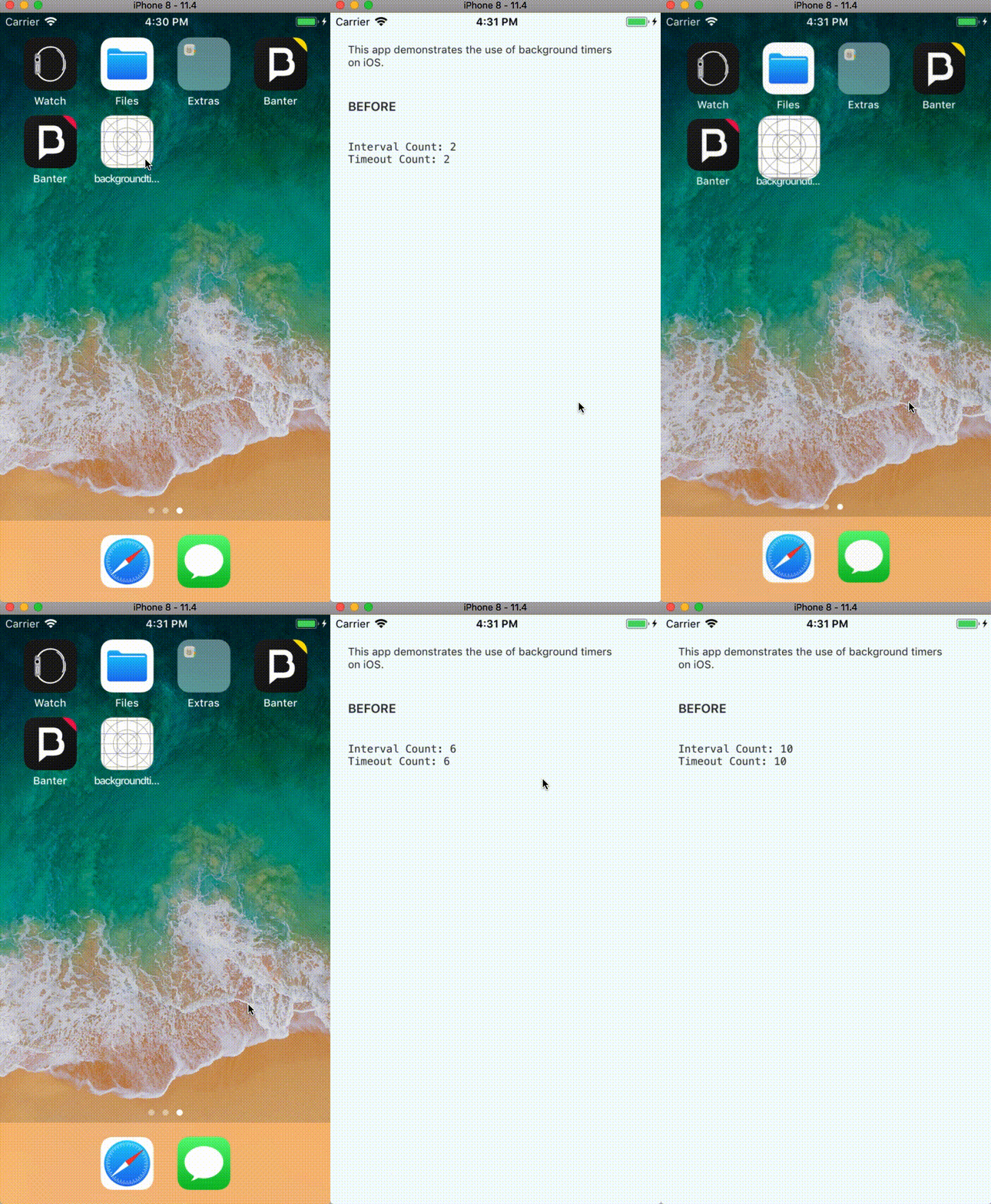
To demonstrate the difference, here is a before and after video.
Before After

Release Notes:
[IOS] [ENHANCEMENT] [Timers] - Support background timers on iOS